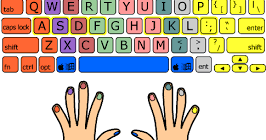
សាកល្បង Test ល្បឿន Typing របស់អ្នក តាម Online
In the old days students took a typing class in high school. It was either in preparation for college or an office career. They sat in rows diligently tapping out […]


In the old days students took a typing class in high school. It was either in preparation for college or an office career. They sat in rows diligently tapping out […]
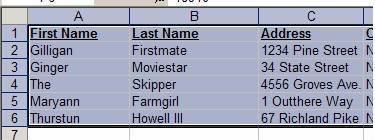
Today’s Technology Service Provider is a practical use for Excel that any teacher could appreciate: How to alphabetize a list of names in excel. Even if you have a list […]
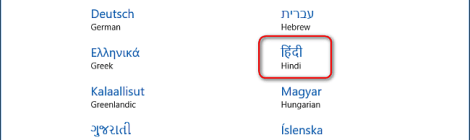
Install a Language in Windows 10 Sign in to Windows 10 using an administrative account. Go to “Start Menu” and go to “Settings > Time & Language”. Select “Region & language” […]
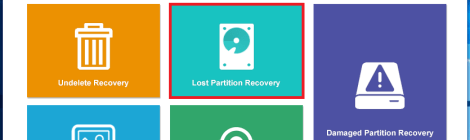
Ok first of all you must stay calm even if the whole drive becomes RAW. And you need to keep one thing in mind: stop writing any data to the […]
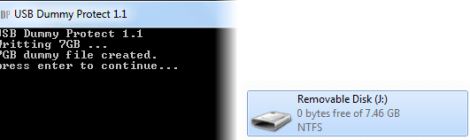
USBDummyProtect is a small utility that employs a clever trick to prevent spreading of viruses through USB drives. This open source tool creates a dummy file that takes up all […]
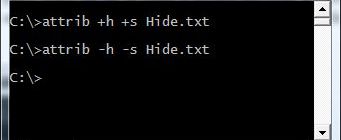
In this post you will learn how to show or hide files and folders in Windows using the command line prompt. We will use the attrib command to hide or […]

There are several reasons why you might want to block certain websites on your computer. Some There are several reasons why you might want to block certain websites on your […]
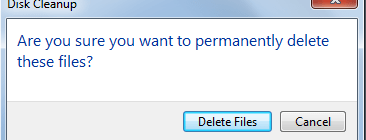
កុំព្យូទ័រដំណើរការដោយ Windows 7 របស់អ្នកប្រើយូរទៅចេះតែដំណើរការយឺតៗទៅមែនទេ? អ្នកតែងតែរិះរកវិធីផ្សេងៗដើម្បីធ្វើអោយកុំព្យូទ័ររបស់អ្នកដើរលឿនជាងមុន។ ដូច្នេះខាងក្រោមនេះគឺជា៣វិធីងាយៗ ដើម្បីជួយបង្កើនល្បឿនកុំព្យូទ័រអោយដើរលឿនជាងមុនបាន។ បើចង់ដឹងថាតើ៣វិធីនោះយ៉ាងណា តោះ! ទៅមើលទាំងអស់គ្នា! ១. Disk Cleanup ការប្រើ Disk Cleanup គឺជាវិធីលឿន និងងាយមួយដើម្បីបង្កើនល្បឿនកុំព្យូទ័រ Window។ ដើម្បីដំណើរការចូលទៅកាន់ Disk Cleanup សូមអនុវត្តតាមវិធីខាងក្រោម៖ ចូល Run ដោយចុច ( Window + R […]
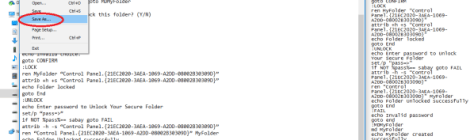
Folder គឺជាកន្លែងដែលសម្រាប់ទុក ឯកសារនិងកម្មវិធីផ្សេងៗ តែមានឯកសារមួយចំនួនដែលអ្នកពិតជាមិនចង់អោយអ្នកណាម្នាក់មើល និងប្រើក្រៅពីខ្លួនអ្នកឡើយ។ ដើម្បីការពារទិន្នន័យ អ្នករិះរកវិធីផ្សេងៗដូចជាការដាក់លេខសម្ងាត់ តែប្រហែលជាមិនចេះដាក់។ ខាងក្រោមនេះគឺជាវិធីងាយៗក្នុងការដាក់ Password និង លាក់ Folder របស់អ្នកពីអ្នកដទៃដោយមិនចាំបាច់ប្រើកម្មវិធីជំនួយនោះទេ៖ ១. មុននិងចាប់ផ្ដើម យើងត្រូវចូលទៅកាន់ទីតាំង Folder ដែលយើងចង់ដាក់ Password. បន្ទាប់មកទៀតបើក Notepad ហើយ Copy កូដខាងក្រោមដាក់ចូលក្នុង Notepad ៖ cls @ECHO OFF […]

